Transferring Saves
Move save files between your cartridge and computer.
2 min read
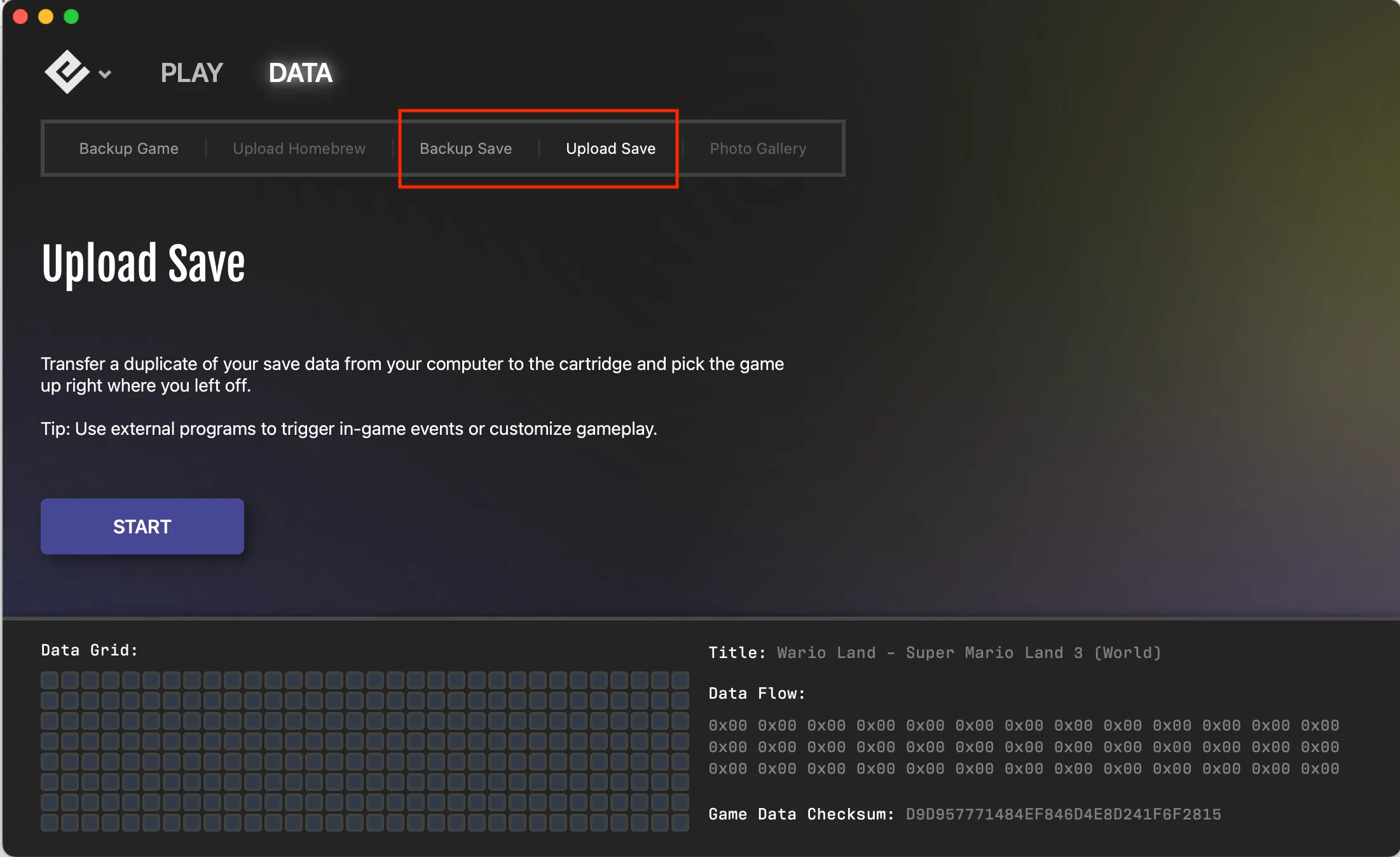
Transfer save files between your physical cartridge and computer using the Data tab in Playback.
Backing up saves
To copy a save from your cartridge to your computer:
- Insert your cartridge into the Operator device
- Go to the Data tab
- Click Backup Save
- Choose where to save the file
The save file will be saved with a .sav extension.
Uploading saves
To restore a save file from your computer to your cartridge:
- Insert your cartridge into the Operator device
- Go to the Data tab
- Click Upload Save
- Select your
.savfile
The existing save on the cartridge will be replaced with your uploaded save.
Best practices
Before transferring saves:
- Clean the cartridge pins — Debris or corrosion can interfere with data transfer. See our cartridge cleaning guide.
- Backup first — Always create a backup of your current save before uploading a new one.
- Don’t disconnect during transfer — Keep the cartridge and device connected until the operation completes.
- Use the correct file type — Save files use
.savor.srmextensions. Game backup files use different extensions (.gb,.gbc,.gbafor Game Boy®;.sfc,.smcfor SNES®).
Common use cases
Battery replacement
Game Boy and SNES cartridge batteries have a 20-30 year lifespan. Before replacing the battery:
- Back up your save with the Operator
- Replace the battery
- Upload your save back to the cartridge
Save editing
Some external tools let you modify save data (triggering events, editing items, etc.):
- Back up your original save
- Make a copy and edit it with external software
- Upload the modified save to your cartridge
Continuing from emulators
If you’ve been playing on an emulator and want to continue on real hardware:
- Locate your emulator’s save file
- Rename it with the
.savextension if needed - Upload it to your cartridge with the Operator
Emulator compatibility
Playback uses the .sav format for all platforms:
- Game Boy / GBC / GBA:
.savformat - SNES:
.savformat (interchangeable with.srm)
These formats are widely supported. If an emulator expects .srm for SNES saves, simply rename the file extension—the data format is identical.
See also
- Save Vault — Automatic save backups
- Everdrive Save Transfers — Transfer saves from Everdrive devices
- Measuring Cartridge Battery — Check if your battery needs replacing
Still need help? Contact our support team

